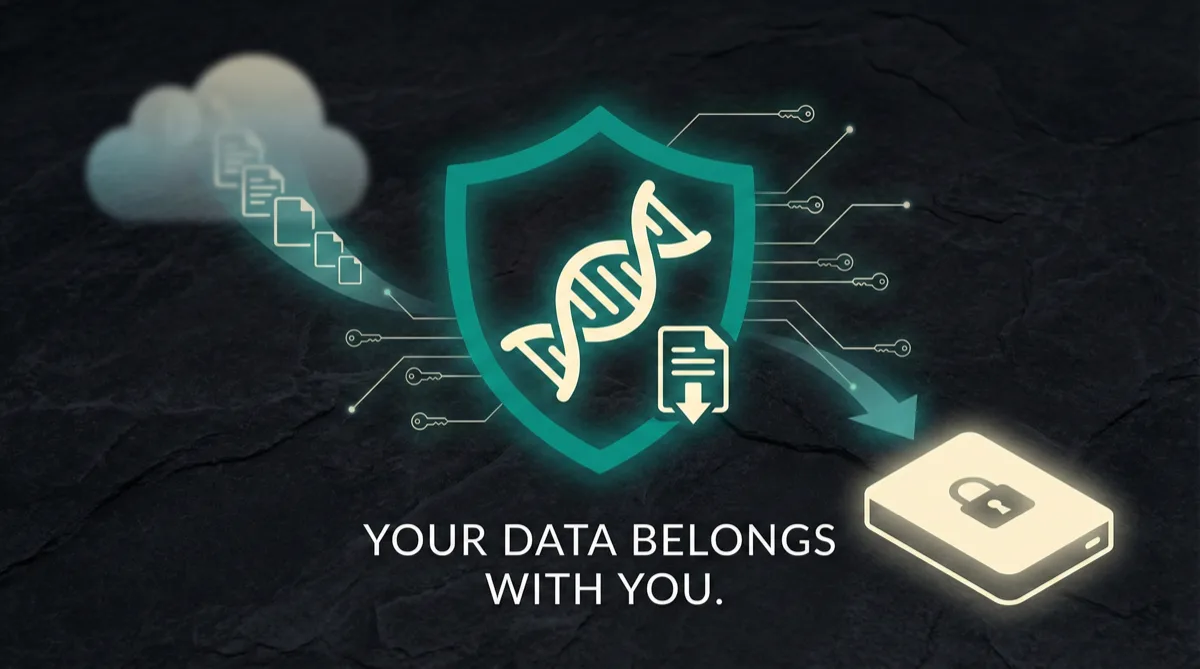
How to Download Your 23andMe Data Before It's Too Late
23andMe's bankruptcy is resolved, but your genetic data still belongs on your own device. Here's exactly how to download your 23andMe raw data file — step by step — and what to do with it once you have it.
Key Takeaways
- 23andMe filed for bankruptcy in March 2025 and was acquired by TTAM Research Institute in July 2025 — download your raw data now while access is available
- To download: log in at 23andme.com, go to Settings > 23andMe Data, request a download, and save the .zip file when it's ready (preparation may take up to a week)
- Your raw data file contains ~600,000 genetic markers that can be analyzed by third-party tools for health insights, pharmacogenomics, and more
- After downloading, consider deleting your 23andMe account to minimize exposure — then analyze your file locally with a privacy-first tool like DNA Explore ($9.99)
“I signed up for 23andMe in 2017 because I was fascinated by what my DNA could tell me. Six years later, my data was compromised in their breach — I'm a confirmed class member in the litigation. I didn't want to hand my genetic data to another company, so I built a tool where everything stays on your device. Then I thought: why not give people what I was actually searching for when I got my DNA tested in the first place — actionable health insights, drug metabolism analysis, risk scores — things you can actually do something with.”
Why You Need to Download Your 23andMe Data Right Now
23andMe's Bankruptcy: What Happened
In March 2025, 23andMe filed for Chapter 11 bankruptcy. By July 2025, the case was resolved when TTAM Research Institute — a nonprofit led by co-founder Anne Wojcicki — acquired the company for $305 million. Regeneron was among the other bidders. The immediate crisis has passed, but downloading your raw data remains the right move: your DNA doesn't change, and owning a local copy means you're never dependent on any company's servers. Multiple state attorneys general — including California, New York, and others — and privacy advocates have urged all 23andMe customers to download their data and consider deleting their accounts.A Pattern of Failing to Protect User Data
After the massive 2023 data breach that exposed the personal information of nearly 7 million users, the company's ability to safeguard genetic data was already in serious question. Even with new ownership, the structural risks of centralized genetic data storage remain.Your DNA Cannot Be Reset Like a Password
Your DNA is the most personal data you have — it doesn't change, it can't be reset like a password, and it contains sensitive information about your health, ancestry, and family. You paid for this data. You spit in a tube and mailed it in. The raw data file belongs to you, and you should have a copy of it on your own device regardless of who owns 23andMe's servers. The download process is straightforward. Do it today.Step-by-Step: How to Download Your 23andMe Raw Data
Follow these exact steps to download your 23andMe raw data file. Do this from a computer — the process is easier on desktop than mobile.
- Go to 23andme.com and log in to your account with your email and password. If you've forgotten your password, use the reset option immediately — don't wait.
- Click your name or profile icon in the top-right corner and select “Settings” from the dropdown menu. Tip: the fastest route is to go directly to you.23andme.com/tools/data/ in your browser.
- Scroll down the Settings page until you find the section labeled “23andMe Data” or “Download Your Data.”
- Click the “Download” or “Request Download” button next to your raw data. You will need to confirm the date of birth associated with the profile and check the acknowledgment checkbox about sharing genetic data with third parties.
- Wait for 23andMe to prepare your file. This typically takes several days — 23andMe states it usually takes about one week and can take up to thirty days. You will receive an email when your download is ready.
- Click the download link. The file will save to your computer as a .zip archive containing a .txt file with your raw genotype data.
- Save this file somewhere safe — your desktop, a USB drive, or a cloud storage folder you control. Do not delete it. If you have multiple profiles on your account (for family members), repeat this process for each one.
What File Do You Get and What's Inside It?
Understanding the Raw Data File Format
When you download your 23andMe raw data, you'll receive a .zip archive containing a .txt file. This file contains your genotype data — hundreds of thousands of genetic markers called SNPs (single nucleotide polymorphisms). Each line in the file lists a specific genetic marker: its identifier (called an rsID), which chromosome it's on, its position, and your genotype (the two letters representing the variants you carry). The file is typically between 10 and 30 megabytes. It's plain text, so you can open it in any text editor, though it won't make much sense to read manually — there are hundreds of thousands of rows. For a deeper look at what each column means, see our guide on what's in your 23andMe raw data file.Raw Data vs. 23andMe Reports
This is your raw genetic data. It's not a health report or an ancestry breakdown — it's the underlying data that those reports were built from. With this file, you can generate new health reports, ancestry analyses, and pharmacogenomic insights using third-party tools, without ever needing 23andMe again. Think of it as the source code of your genetic identity. The reports 23andMe showed you were just one interpretation. With your raw data file, you can get dozens of different analyses from different services — covering areas that may include pharmacogenomics, nutrigenomics, and polygenic risk scores — different tools take different approaches.The 2023 Data Breach and Why It Matters Now
What Happened in the 23andMe Breach
In October 2023, 23andMe confirmed a massive data breach that exposed the personal information of approximately 6.9 million users — nearly half of all 23andMe customers at the time. Hackers used credential stuffing to access accounts and then exploited the DNA Relatives feature to scrape data from millions of connected profiles. The stolen data included:- Names and birth years
- Ancestry results
- Health-related genetic information (in some cases)
How 23andMe Responded — and Why Trust Collapsed
23andMe initially downplayed the breach, then changed its terms of service to make it harder for users to participate in class-action lawsuits — a move widely criticized by privacy advocates and legal experts. The company eventually agreed to a $30 million settlement, but the damage to user trust was irreversible. This breach is directly connected to the bankruptcy. User growth stalled, revenue dropped, and the company's stock price collapsed. 23andMe filed for Chapter 11 in March 2025, and by July 2025, TTAM Research Institute — a nonprofit led by co-founder Anne Wojcicki — acquired the company and its data on more than 14 million customers. The breach showed that 23andMe couldn't protect your data when it was a functioning company. New ownership does not erase that track record, and the structural risks of centralized genetic data storage remain.What Happened to Your Data After 23andMe's Bankruptcy
The TTAM Acquisition
In July 2025, TTAM Research Institute — a nonprofit led by 23andMe co-founder Anne Wojcicki — acquired the company for $305 million. Regeneron was among the other bidders. The acquisition resolved the Chapter 11 bankruptcy and kept the company's genetic database under a single entity rather than being broken up or auctioned off.- TTAM's commitments: As part of the acquisition, TTAM made binding commitments to honor existing privacy terms and not sell individual-level genetic data. These commitments were reviewed by the bankruptcy court and state attorneys general.
- Structural risk remains: While the immediate crisis is resolved, the fundamental reality hasn't changed — your genetic data still lives on someone else's servers, subject to future policy changes, leadership transitions, or security incidents.
Why Downloading Your Data Still Matters
TTAM has made binding privacy commitments, but no company's promises are permanent. Leadership changes, financial pressures, and future acquisitions could all alter how your data is handled. Owning a local copy ensures you are never dependent on any single company's continued existence or goodwill. This is why downloading your data isn't enough — many privacy experts also recommend requesting full account deletion after you've saved your raw data file. You can do this from the same Settings page where you downloaded your data. Once deleted, 23andMe is required to destroy your genetic sample and data within a defined timeframe, though verifying this from the outside is essentially impossible.What to Do With Your Raw Data File After Downloading
Back Up Your File Immediately
Once you have your 23andMe raw data file saved to your computer, you have options. First, back it up. Copy it to a USB drive, an encrypted cloud folder, or both. This file is irreplaceable — if 23andMe disappears, you cannot regenerate it without submitting a new DNA sample to another company.Analyze Your Genetic Data With Third-Party Tools
Second, you can analyze it. Your raw data file works with a variety of affordable DNA analysis services and tools that can give you health insights, ancestry breakdowns, pharmacogenomic reports, and more.DNA Explore: Private, Browser-Based Analysis for $9.99
DNA Explore is one such tool. For a one-time payment of $9.99, you can upload your raw data file and get a comprehensive analysis covering:- Health predispositions
- Carrier status
- Pharmacogenomics (how you metabolize medications)
- Nutrigenomics (diet and nutrition insights based on your genes)
- Polygenic risk scores
- Gene interaction analysis
These reports are for informational and educational purposes only and are not a substitute for professional medical advice.
What makes DNA Explore different from most alternatives is that your file never leaves your device. Everything is processed locally in your browser — no upload to external servers, no cloud storage, no account creation required. Learn more about how local DNA analysis protects your privacy. After the 23andMe breach and bankruptcy, many users are understandably reluctant to hand their genetic data to yet another company. DNA Explore was built for exactly this concern.Why Local Processing Matters More Than Ever
Centralized Servers Are Inherently Risky
The 23andMe situation is a case study in why uploading sensitive data to centralized servers is inherently risky. No matter how strong a company's privacy policy is, it's only as durable as the company itself. Breaches happen. Bankruptcies happen. Acquisitions happen. Every time your genetic data sits on someone else's server, it's exposed to risks you can't control:- Hackers and data breaches
- Subpoenas and legal requests
- Corporate asset sales in bankruptcy
- Employee access and insider threats
- Privacy policy changes
How Local Processing Eliminates These Risks
Local processing flips this model entirely. When you use a tool like DNA Explore, your raw data file is read and analyzed by JavaScript running in your browser. The file never crosses the network. There's no server to breach, no database to hack, no corporate asset to sell in bankruptcy court. Your genetic data stays on your device from start to finish. This isn't just a privacy feature — it's an architectural guarantee. DNA Explore can't access your data even if it wanted to, because the data never reaches its servers. In a world where 23andMe proved that even major genetics companies can fail to protect your most personal information, the only truly safe approach is to keep that data off the internet entirely. Download your 23andMe file, analyze it locally, and keep control of your own genome.Act Now — Don't Wait Until It's Too Late
Don't Assume the Download Will Always Be Available
There is no guarantee that 23andMe's download functionality will remain available indefinitely. While the bankruptcy is resolved and TTAM now operates the company, future changes in ownership, policy, or infrastructure could limit or remove access to your raw data. Download it now while you can.The Process Is Straightforward
You don't need any special software or technical knowledge. Log in, go to Settings (or visit you.23andme.com/tools/data/ directly), request your file, and save it somewhere safe once it arrives. The preparation takes several days, but starting the request takes just a few minutes. If you have family members who used 23andMe, help them download their data too — especially older relatives who may not be following the news.Protect Your Data and Put It to Use
Once you have your file, consider deleting your 23andMe account entirely to minimize your exposure. And if you want to actually use your genetic data for health insights, DNA Explore lets you analyze your file instantly in your browser for $9.99 — no upload, no account, no risk. Your DNA is yours. Own your data, control your privacy.Frequently Asked Questions
How do I download my raw data from 23andMe?
Is 23andMe deleting my data because of the bankruptcy?
What format is the 23andMe raw data file?
Can I still get health reports after downloading my 23andMe data?
Should I delete my 23andMe account after downloading my data?
Sources & References
Disclaimer: The information provided in this article is for general educational and informational purposes only and does not constitute medical, legal, or financial advice. Genetic information should not be used as a substitute for professional medical advice, diagnosis, or treatment. Always consult a qualified healthcare provider before making any health decisions based on genetic data.
Prices, features, and availability of third-party products and services mentioned in this article are based on publicly available information as of the publication date and may have changed. We make reasonable efforts to ensure accuracy but cannot guarantee that all pricing, feature descriptions, or company information is current or complete. Trademarks and brand names referenced are the property of their respective owners and are used solely for identification and comparison purposes.
Genetic risk assessments, polygenic risk scores, and pharmacogenomic reports generated by any consumer tool — including DNA Explore — are based on currently published research and known associations. They are not diagnostic. Genetic predisposition does not guarantee the development or absence of any condition.
Analyze your downloaded 23andMe file instantly
Drop your 23andMe or AncestryDNA file. Results in seconds. $9.99 to unlock everything.
Try DNA Explore freeAlready purchased? Restore your access