How to Get Your Raw Data File from 23andMe in 3 Steps
Just the steps. This is the quickest path from your 23andMe account to a raw data file you can use with DNA Explore or any other analysis tool. No technical knowledge required.
Key Takeaways
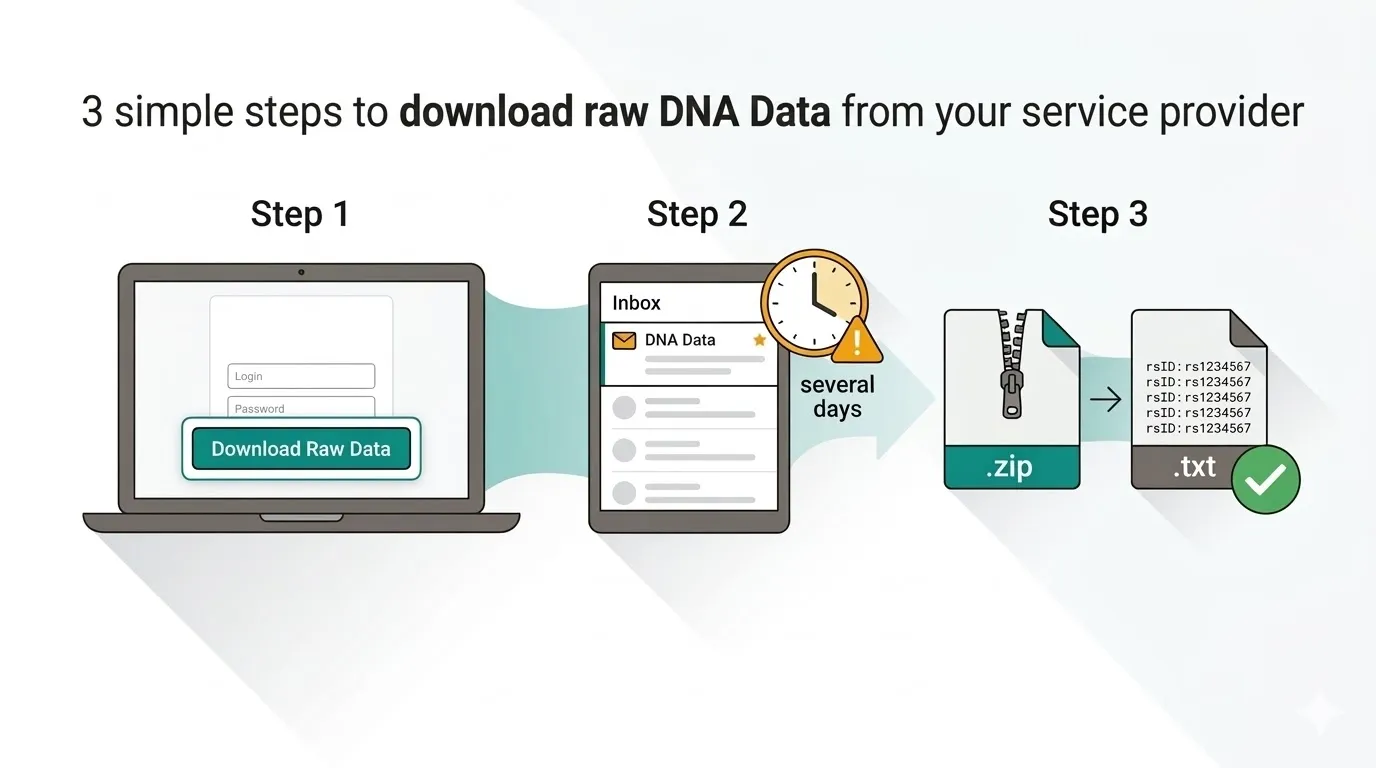
- Go to your 23andMe raw data page, confirm your identity, and click Download
- 23andMe will email you when your file is ready — this typically takes several days and can take up to 30 days
- Download the .zip file, unzip it, and you have your raw data .txt file ready to analyze
“I signed up for 23andMe in 2017 because I was fascinated by what my DNA could tell me. Six years later, my data was compromised in their breach — I'm a confirmed class member in the litigation. I didn't want to hand my genetic data to another company, so I built a tool where everything stays on your device. Then I thought: why not give people what I was actually searching for when I got my DNA tested in the first place — actionable health insights, drug metabolism analysis, risk scores — things you can actually do something with.”
Before You Start
You need two things:
- A 23andMe account with completed DNA results (the spit kit must be fully processed)
- A computer or phone with access to your email (desktop is easiest)
The entire process takes about 2 minutes of your time. But there is a waiting period — 23andMe needs several days to prepare your file before you can download it.
Want the full backstory on why downloading your data matters? Read our complete guide covering the 23andMe bankruptcy, the 2023 data breach, and why owning a local copy of your genome matters.
Step 1: Request Your Raw Data Download
- Go directly to you.23andme.com/tools/data/ and log in (this URL was current as of March 2026 — 23andMe's interface may change under new ownership). Or: sign in at 23andme.com, click your name in the top right, select Settings, and scroll down to “23andMe Data.”
- Click “Download Raw Data” (or “Request Download”).
- Confirm your date of birth and check the acknowledgment box.
- Click Submit. 23andMe will send a verification email to the address on your account.
Forgot your password? Reset it first — you'll need it for the next step.
Step 2: Wait for the Email
This is where most people get stuck
23andMe typically takes several days to a week to prepare your download. Their documentation says it can take up to 30 days in some cases. This is normal. Don't panic if the email doesn't arrive the same day.
What to do while you wait:
- Check your spam/junk folder — the email comes from 23andMe and sometimes gets filtered
- Make sure you're checking the right email address (the one linked to your 23andMe account)
- If it's been more than a week, try submitting the request again from the raw data page
Step 3: Download and Unzip Your File
- Open the email from 23andMe and click the download link.
- A .zip file will download to your computer (usually to your Downloads folder).
- Unzip the file. On Mac, double-click the .zip. On Windows, right-click and select “Extract All.” Inside, you'll find a .txt file — that's your raw data.
What does the file look like?
It's a plain text file, typically 10–30 MB, with rows of genetic markers. Each row has an rsID (like rs1234567), a chromosome number, a position, and your genotype (like AA, AG, or TT). You don't need to understand it — analysis tools do that for you.
Want to learn more about what's inside? Read our guide on what's in your 23andMe raw data file.
You're Done — Now Analyze Your DNA
You now have your raw data file. Save a backup somewhere safe (USB drive, cloud folder), then put it to use.
DNA Explore analyzes your file instantly in your browser for $9.99 — no upload to external servers, no subscriptions. Drop the .txt file on our analysis page and get results covering:
- Health predispositions and carrier status
- Pharmacogenomics (how your genes affect medications)
- Nutrigenomics (diet and nutrition insights)
- Polygenic risk scores
- AI-powered explanations for every variant
Your file never leaves your device. Everything is parsed and analyzed locally in your browser. For more details, read about how local DNA analysis protects your privacy.
Troubleshooting Common Issues
“I never got the email”
Check spam/junk. Give it at least a week — 23andMe says preparation can take up to 30 days. If it's been longer, try requesting again or contact 23andMe customer support.
“The download link expired”
Download links expire after a set period. Go back to you.23andme.com/tools/data/ and request a new download.
“I got a .zip but can't find the .txt”
Make sure you've fully extracted the archive. On Mac, double-click the .zip file. On Windows, right-click and choose “Extract All.” The .txt file should appear in the extracted folder. If you're uploading to DNA Explore, use the unzipped .txt file (not the .zip).
Frequently Asked Questions
Can I download my 23andMe data on my phone?
Do I need to pay 23andMe to download my raw data?
Is my raw data file safe to share with analysis tools?
Why should I download my 23andMe data?
Sources & References
Disclaimer: The information provided in this article is for general educational and informational purposes only and does not constitute medical, legal, or financial advice. Genetic information should not be used as a substitute for professional medical advice, diagnosis, or treatment. Always consult a qualified healthcare provider before making any health decisions based on genetic data.
Prices, features, and availability of third-party products and services mentioned in this article are based on publicly available information as of the publication date and may have changed. We make reasonable efforts to ensure accuracy but cannot guarantee that all pricing, feature descriptions, or company information is current or complete. Trademarks and brand names referenced are the property of their respective owners and are used solely for identification and comparison purposes.
Genetic risk assessments, polygenic risk scores, and pharmacogenomic reports generated by any consumer tool — including DNA Explore — are based on currently published research and known associations. They are not diagnostic. Genetic predisposition does not guarantee the development or absence of any condition.
Got your file? Analyze it instantly
Drop your 23andMe or AncestryDNA file. Results in seconds. $9.99 to unlock everything.
Try DNA Explore freeAlready purchased? Restore your access